 Resolve Note
Features
Everything Resolve Note does.
A Keep-style home screen on top, a full notebook underneath. Here is the complete list, grouped the way it is in the app.
Notes and lists
Write the way you think. Nothing in the way.
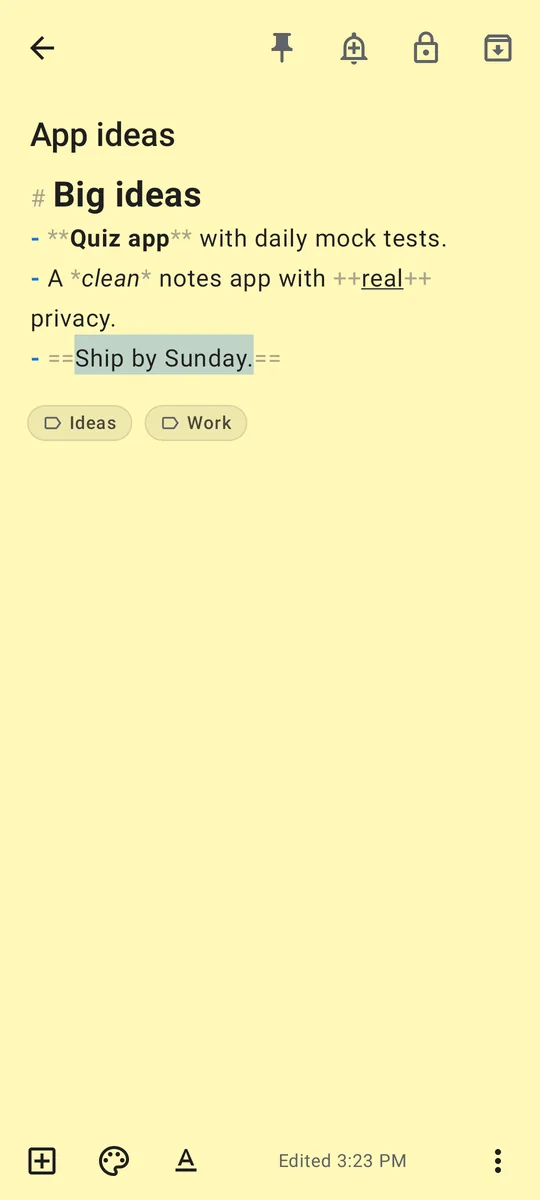
- Text notesA title and a body. Long notes are fine.
- ChecklistsTick items off; checked items can move to the bottom. Press Enter for the next item.
- FormattingThe Aa button gives headings, bold, italic, underline, strikethrough, highlight, bullets, numbered lists, to-dos, quotes and code. Saved as simple Markdown, so your text stays readable anywhere.
- PhotosAdd photos to any note. They are resized, cleaned of location data and encrypted.
- DrawingsSketch with your finger in eight colours and any brush size, with undo and redo.
- ColoursTwelve note colours, tuned for both light and dark themes.
Organise
Find anything in a second.
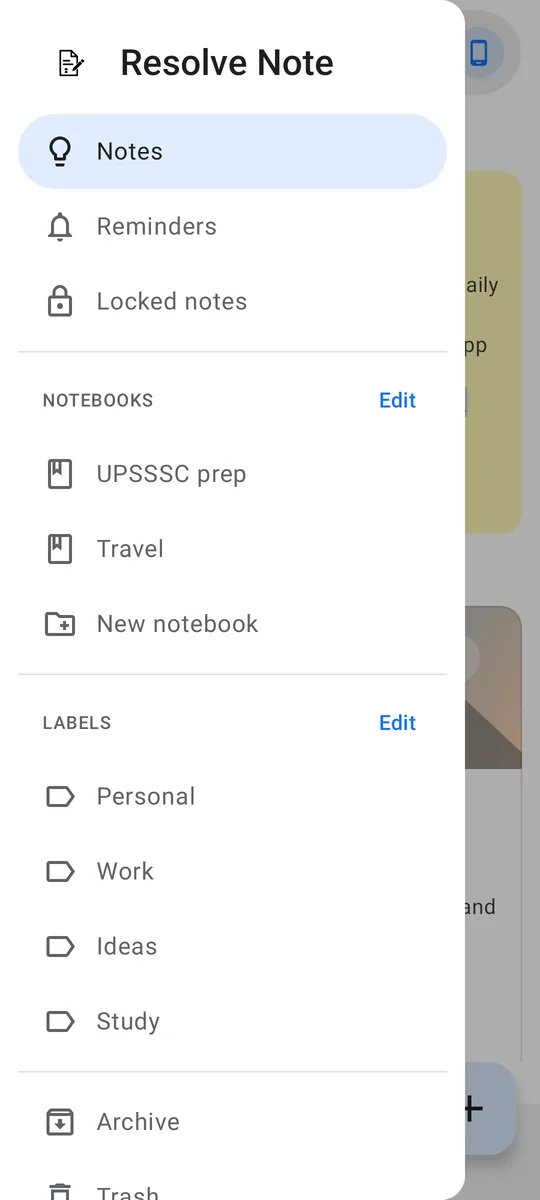
- PinKeep important notes at the top of the home screen.
- LabelsTag notes and filter by label from the menu.
- NotebooksGroup notes by subject, like the sections of a binder.
- ArchiveHide notes you want to keep but don't need every day.
- TrashDeleted notes stay in Trash for 7 days, so you can restore them.
- Select manyLong-press a note, then tap others to pin, colour, label, move, lock, archive, copy or delete them together.
- Search and sortSearch text and labels; filter by type or colour; sort by last edited, date created, title or colour.
- Grid or listSwitch the home screen between a card grid and a list.
Reminders
- Time remindersLater today, tomorrow, next week or any date and time. The notification opens the note.
- Quiet about secretsReminders can hide note titles, and locked notes never show theirs.
- Home-screen widgetQuick buttons for a new note, checklist, drawing or search. The widget never shows note text.
Security
Proven, standard cryptography, with the keys kept on your phone.
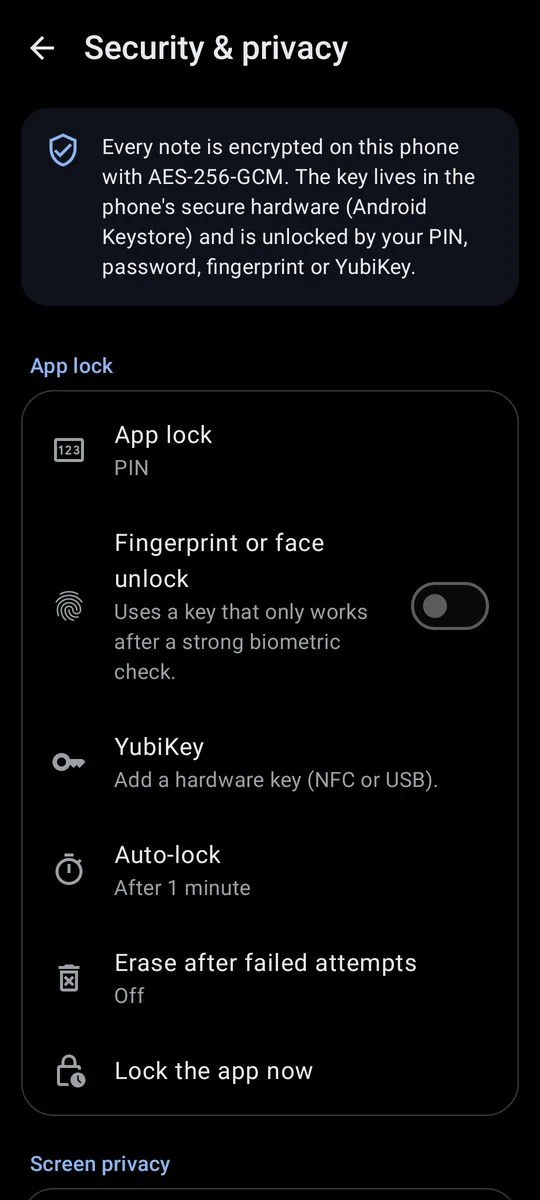
- Encryption at restNotes, labels, notebooks and images are stored with AES-256-GCM. The key is protected by the Android Keystore.
- App lockOpen the app with a PIN, a password, your fingerprint or face, or a YubiKey. Auto-lock after a time you choose.
- Locked notesLock one note or many, with one shared password or a different password for each. Keys come from the password through Argon2id.
- YubiKeyNFC or USB, HMAC-SHA1 challenge-response. Use it instead of your PIN, or together with it.
- Attempt limitsWrong PINs add a growing delay. Optionally erase everything after 10, 15 or 20 wrong tries.
- Screen privacyBlock screenshots and screen recording, and hide the app's content in recent apps.
Storage and sync
You decide where your notes live.
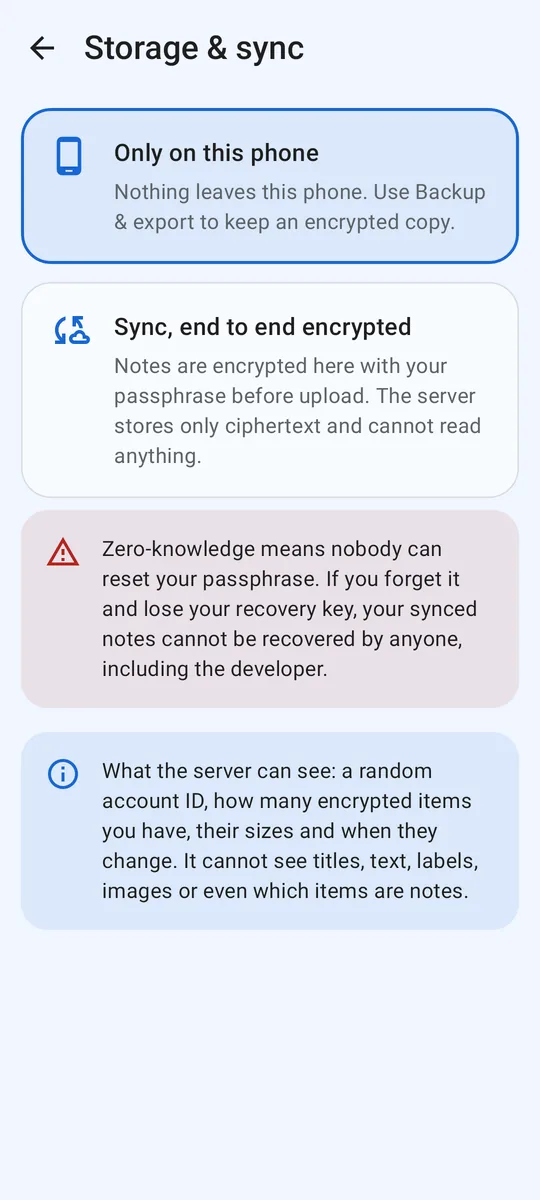
- Only on this phoneThe default. Nothing leaves your phone.
- End-to-end encrypted syncUse your notes on several phones. Notes are encrypted on your phone before upload; the server only stores unreadable data.
- Anonymous accountNo e-mail, no phone number: a random account ID and your passphrase.
- Recovery keyShown when you create your sync account. Save it somewhere safe.
- Your own serverUse the default sync server, or enter the address of one you run.
- Delete anytimeTurn sync off and delete the server copy from inside the app.
Backup and export
- Encrypted backupEverything in one file, sealed with a password you choose. Restore it on any phone.
- Markdown and textExport notes as .md or .txt files, or share a note to any app.
- ImportBring in text and Markdown files; each becomes a note.
Look and feel
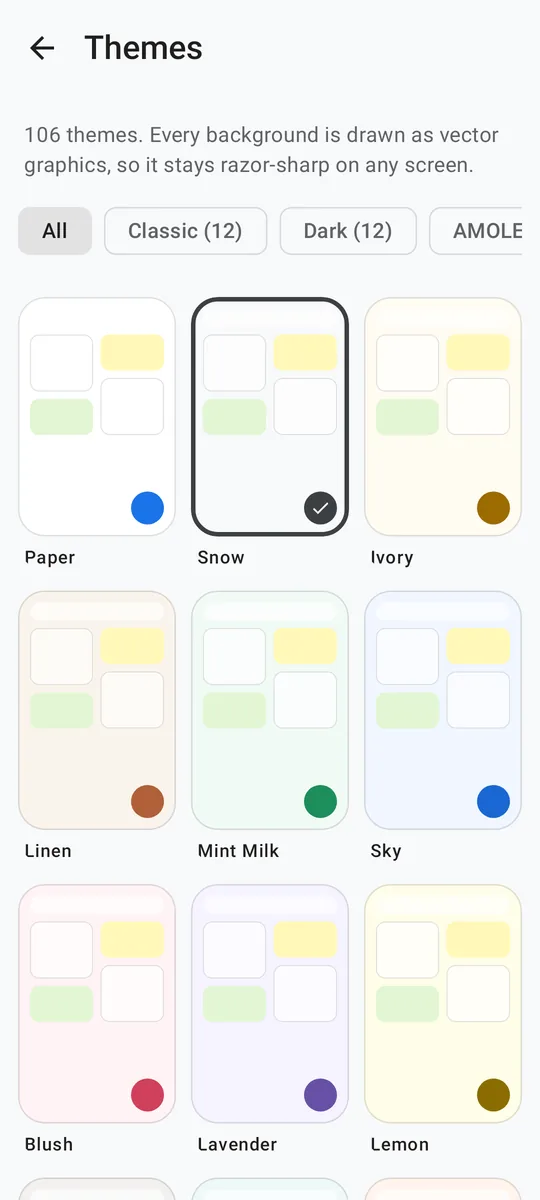
- 106 themesLight, dark, AMOLED black, gradients and patterns. Backgrounds are drawn as vector graphics, so they stay sharp on any screen.
- 23 fontsIncluding Hindi fonts such as Noto Sans Devanagari, Hind, Mukta, Martel, Tiro Devanagari Hindi and Kalam, plus four text sizes.
- 133 languagesEnglish by default, plus all 22 scheduled languages of India and 110 more, with right-to-left layouts for Urdu, Arabic and others. Translations are machine-generated; corrections welcome.
- About, in detailEvery feature is explained inside the app.
What it doesn't do (yet)
- No web or desktop appResolve Note is for Android phones and tablets.
- No shared notesNotes are private to you; there is no real-time collaboration.
- No voice notes, text-in-image search or PDF exportUse Markdown or text export for now.